Hot Tub Error Code Decoder
FLO, OH, SN, DR, HL & More: Hot Tub Error Code Decoder
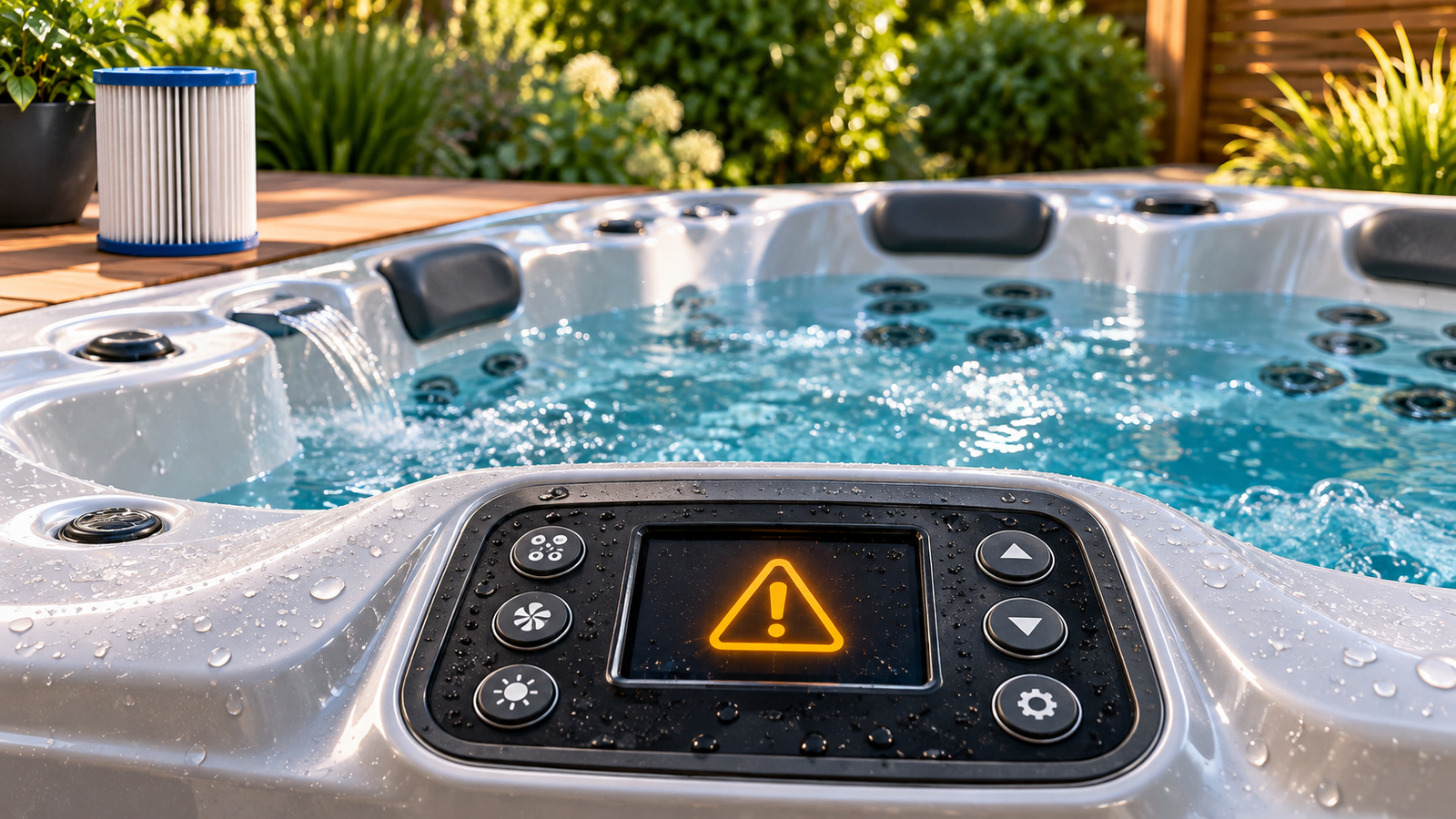
An unfamiliar code on your hot tub’s display can leave you wondering whether you need to clean a filter or call for a repair. Before assuming the worst, start by finding out what the message means for your particular hot tub.
Error codes offer clues, but they don’t always identify the cause—or tell you which part needs replacing. Their meanings can also vary between control systems, so a code explained for one hot tub may mean something different on yours.
This report will help you understand common messages, recognize basic checks you may be able to make yourself, and know when to contact a technician. Use it alongside your model’s owner’s manual to decide what to do next.
What’s Explained in This Report
Why your model and control system matter when identifying a code
What common flow, temperature, and sensor messages can indicate
Which basic checks to make before arranging service
How to distinguish operating modes from faults that need attention
Why resetting a code doesn’t necessarily solve the problem
When to stop troubleshooting and call a qualified technician
⚠️ Why Hot Tub Error Codes Matter
Your hot tub monitors conditions such as temperature and, depending on its control system, water flow or pressure. When it detects a problem, it may stop heating, restrict certain functions, or shut down to help protect the equipment.
The message gives you a starting point. A flow warning, for example, may lead you to check the water level and filter condition, but it doesn’t automatically mean a pump or switch has failed.
Identify Your Hot Tub Before Decoding the Message
Before looking up a code, note your hot tub’s brand, model, and model year if known. Check the owner’s manual for the installed control system, too—one brand may use different equipment across its collections and years.
Record the message exactly as it appears. Take a photo, and note whether it flashes, alternates with the temperature, or appears only when a pump starts. Those details can help you find the correct instructions or explain the problem to your dealer.
Use the code definitions in your model’s manual first. Similar-looking messages can mean different things on different systems, so follow the troubleshooting instructions that match your equipment.
Follow the Warning Before Trying a Reset
Read the instructions for the displayed code before clearing it. Some conditions resolve after a basic correction; others require service before the hot tub should run again.
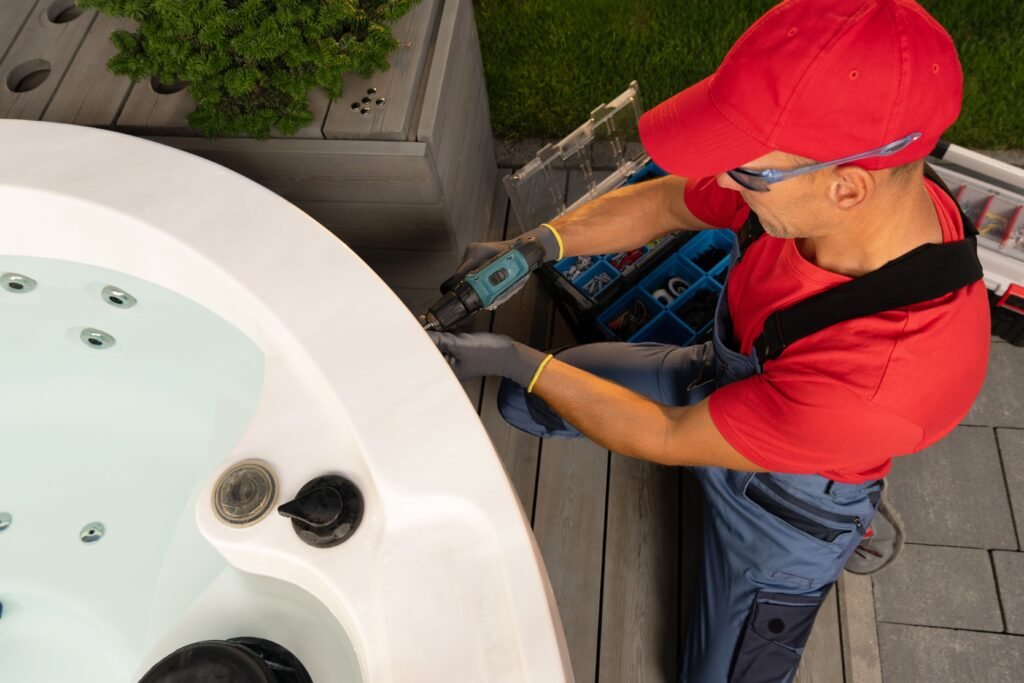
Don’t enter the water during an overheating alert, bypass a safety device, or repeatedly reset a returning fault. Getting the display back to normal is only useful when the underlying problem has been addressed.
The Most Common Hot Tub Error Codes
Here are the codes hot tub owners run into most often, and what they typically mean.
🔄 FLO — A Possible Water-Flow Problem
On systems that use FLO as a flow warning, the control isn’t detecting the flow or pressure it expects. That gives you somewhere to start, but it doesn’t tell you which component is responsible.
Check your model’s instructions, then begin with the basics:
Confirm that the water level is within the recommended range.
Check the filter for debris or buildup and clean it as directed.
If the hot tub was recently filled, follow its pump-priming instructions.
If the manual calls for checking service valves, confirm that they’re in the correct operating position.
Don’t keep running a pump that isn’t moving water. If the pump won’t prime, stop and follow the manual’s troubleshooting guidance.
Does Removing the Filter Help?
Only try a brief filter-removal test if your manufacturer permits it, following its shutdown and restart instructions. Keep everyone out of the hot tub during the test, and reinstall the filter afterward.
If the warning clears, that suggests the filter may be restricting flow. It doesn’t automatically mean you need a replacement. Check whether the filter needs proper cleaning, is the correct type, or shows damage that warrants replacing it.
Visible movement at the jets doesn’t necessarily confirm adequate flow through the heater. If FLO returns after the recommended checks, contact your dealer or a qualified technician.
FLC — Unexpected Flow or Pressure-Switch Status
On some systems, FLC means the control is receiving a closed-switch signal when it expects the switch to be open—for example, when the associated pump is off.
That can involve a flow or pressure switch, its adjustment, wiring, or the control system. The code alone doesn’t prove that the switch has failed.
Check the exact definition in your owner’s manual and note when the message appears. If it persists, arrange service rather than adjusting the switch or opening the control box yourself. Never bypass a flow or pressure switch to force the heater to run.
🔥 OH — Overheating Alert
An OH message generally indicates an overheating condition, but the exact meaning and shutdown behavior depend on your control system. Stay out of the water while the alert is active, and follow your model’s instructions before attempting a reset.
Possible causes include restricted circulation, a dirty filter, or excess heat buildup. A sensor or control fault is also possible, but the code alone won’t tell you which is responsible.
Normal-Feeling Water Doesn’t Rule Out a Problem
The water around the seats may feel normal even when the heater area is overheating. Don’t use your hand to judge whether the warning is accurate or assume that cooler water proves a sensor has failed.
Follow the manual’s cooling instructions, including removing the cover if directed. Keep children and pets away while the hot tub is uncovered.
Once the equipment has cooled and it’s safe to make the recommended checks, confirm the water level and filter condition. Follow the manufacturer’s directions for any further troubleshooting or reset.
If the alert remains or returns, stop using the hot tub and contact your dealer or a qualified technician. Repeatedly resetting it won’t correct the cause.
🎛️ SN / SN1 / SN2 / SNA / SNB — Sensor-Related Messages
These messages generally relate to temperature sensors or their readings, but they don’t all mean the same thing. Check the exact code in your model’s manual before assuming a sensor needs replacing.
Some systems distinguish between a sensor that isn’t working and two sensors reporting temperatures that differ more than expected. That difference matters: a sensor disagreement can require checks for water-flow problems as well as sensor faults.
Record How the Message Appears
Take a photo of the display and note whether the code flashes, alternates with the water temperature, or appears alongside another warning. Also note whether it started after a refill, during heating, or while a pump was running.
Those details can help your technician narrow down the problem. On some systems, the way a message appears also changes what it means for continued operation.
Keep Owner Checks Simple
Follow any basic checks listed in your owner’s manual, such as confirming water level and filter condition. Leave sensor connections, wiring tests, and control-box inspections to a qualified technician.
Don’t assume the displayed temperature is reliable while a sensor fault is active. Follow the manual’s instructions about use, and stay out of the water if the temperature cannot be confirmed or an overheating warning is present.
If the message persists or returns, arrange service. The next step is finding out why the readings are wrong—not automatically replacing a sensor.
💧 DR / DRY — Possible Inadequate Water in the Heater
On some control systems, DR or DRY indicates that the system has detected—or suspects—insufficient water or flow through the heater. Trapped air after a refill can also be involved.
These messages don’t necessarily mean the heater is continuing to run dry. The control may pause heating or shut the spa down to protect the equipment. The exact response, and the distinction between DR and DRY, depend on your system.
Start With the Recommended Flow Checks
Check your owner’s manual, then:
Confirm that the water level is within the recommended range.
Check the filter for debris or buildup and clean it as directed.
If the hot tub was recently filled, follow the manufacturer’s pump-priming instructions.
Note whether the pump runs and whether water is circulating.
A pump making noise doesn’t confirm that it’s moving water. Don’t keep running it if it won’t prime, and don’t loosen plumbing connections while the equipment is operating.
Address the Cause Before Resetting
Some systems retry automatically after a temporary warning; others require a reset after the problem has been corrected. Follow your manual rather than repeatedly cycling the breaker.
If the message remains, returns, or appears when circulation has stopped, contact your dealer or a qualified technician. The code points toward a water or flow condition that needs investigating—it doesn’t, by itself, prove that the heater needs replacing.
🔥 HL / HFL — Check Your Control System Before Troubleshooting
HL and HFL don’t have one universal meaning. Depending on the control system, they can indicate a possible water-flow problem or a high-limit temperature condition. That difference matters when deciding what to do next.
On Some Balboa Systems: Possible Restricted Flow
Certain Balboa systems use HL or HFL when the temperature sensors detect a larger difference than expected. This can indicate that water isn’t moving through the heater adequately.
Follow your model’s recommended checks for water level, filter condition, and pump priming. The message doesn’t automatically mean the high-limit sensor has failed, and it isn’t a reason to replace a part without further diagnosis.
On Some Gecko Systems: A High-Limit Temperature Alert
Certain Gecko systems use HL when the temperature at the heater reaches the high-limit threshold. The system stops heating or shuts down to help protect the equipment.
Do not enter the water during this alert. Follow the manual’s cooling and troubleshooting instructions. Water that feels normal around the seats doesn’t rule out excessive heat at the heater.
Follow the Instructions for Your Exact Equipment
Identify the control system and look up the complete message before attempting a reset. Don’t use Balboa’s explanation to troubleshoot a Gecko system—or assume every system from either manufacturer behaves identically.
If the warning remains or returns after the permitted basic checks, contact your dealer or a qualified technician. Never bypass a sensor or safety device to restore heating.
🌡️ COL / COOL — Water Below the Set Temperature
On some systems, COL or COOL means the water is substantially cooler than the selected temperature. It doesn’t necessarily indicate a sudden temperature drop or a failed heater.
For example, Jacuzzi’s 2021 J-400 manual describes a COOL warning when the water is more than 20°F below the set temperature. The system automatically activates circulation and heating in response. That threshold and behavior shouldn’t be assumed for other models.
Check your manual’s explanation and confirm that the temperature is rising as expected. If the water continues cooling, circulation stops, or another warning appears, contact your dealer. In freezing weather, get help promptly if the hot tub cannot circulate or heat.
PF — Verify the Power-Related Message
Don’t assume PF means pump failure. In the 2011 Sundance 880 Series manual, PF identifies a power-related condition involving low DC voltage caused by a power fluctuation. The manual also notes that this message doesn’t apply to the Maxxus model in that lineup.
Record the message and check the definition for your exact model. Follow any permitted reset instructions, but arrange service if the fault returns. Leave voltage measurements, wiring inspections, and control-board testing to a qualified professional.
Watchdog — A Shutdown That Needs Attention
Some Sundance systems use a Watchdog alert when the hot tub has been deactivated because of a potentially damaging condition. The 2011 880 Series manual directs owners to stay out of the water and contact a dealer or qualified technician.
Don’t treat every display showing dashes or dots as Watchdog mode. Record the complete display, including any scrolling words, and match it to your owner’s manual.
If the manual identifies the message as Watchdog, follow its shutdown and cooling instructions. Avoid repeated resets or attempts to bypass the protection. The message calls for diagnosis; it doesn’t identify a particular part to replace.
Brand and Control-System Differences
The brand on the cabinet is only part of the picture. Your hot tub’s model year, control system, and software can affect which messages appear and what they mean.
These examples show why it’s worth finding the correct manual before troubleshooting:
| Displayed Code | Documented System | What It Can Mean | What to Do Next |
|---|---|---|---|
| HL / HFL | Certain Balboa systems | A temperature difference between sensors that may indicate inadequate heater flow | Follow the manual’s water-level, filter, and pump-priming checks |
| HL | Gecko in.yj, in.ye, in.yt, and in.xe systems covered by its troubleshooting guide | A high-limit temperature condition at the heater | Stay out of the water and follow the model’s cooling and service instructions |
| Prr | Gecko in.k300 documentation | A temperature-probe fault | Contact your dealer or service provider; don’t treat it as priming mode |
| FLC | Gecko in.k300 documentation | A closed flow-switch indication | Follow the manual’s instructions and arrange service if it persists |
| PF | Applicable models in the 2011 Sundance 880 Series | A power-related fault | Follow the permitted reset procedure and contact service if it returns |
These examples come from the manufacturers’ documentation and apply to the systems identified—not every hot tub carrying the same brand name.
If your model isn’t listed, don’t choose the closest-looking code and assume the instructions apply. Find its owner’s manual or send your dealer a photo of the display along with the model and serial number.
You don’t need to open the electrical control box to start gathering that information. Check your paperwork and accessible identification labels first.
Operating Messages That Can Look Like Errors
Not every message on your display means something has failed. Some tell you how the hot tub is heating, indicate startup mode, or explain why pumps have switched on automatically.
The important distinction is whether the message describes normal operation or a fault that needs attention. Check the exact spelling against your model’s manual—one extra letter can change the meaning.
EC / SL / ST — Heating Modes on Some Systems
Some control systems use abbreviations to identify the selected heating mode:
EC or Economy: On certain systems, heating occurs during scheduled filtration cycles.
SL or Sleep: On certain systems, the water is allowed to remain below the selected temperature, with heating limited by the mode’s settings.
ST or Standard: Identifies the standard heating mode on some systems.
If the water is cooler than expected, check the selected mode and filtration schedule before assuming the heater has failed. Follow your manual when changing settings, since heating behavior varies between systems.
Other abbreviations, including SE, need to be checked individually. Don’t assume they mean reduced heating simply because they resemble another system’s display.
ICE / IC — Possible Freeze Protection
On systems that use ICE or IC for freeze protection, the control has detected conditions that trigger a protective response. Pumps may start automatically, even when you haven’t pressed a button.
Follow your manual’s instructions and avoid interrupting that response just because the pumps are running unexpectedly. The message doesn’t necessarily mean the water has already frozen.
If the pumps aren’t moving water, another fault appears, or the hot tub cannot maintain heat in freezing weather, contact your dealer promptly. A freeze-protection feature depends on functioning equipment.
PR — Priming Mode on Some Systems
On certain Balboa systems, PR appears during startup while you check that the pumps are primed and moving water. Follow the startup procedure for your model rather than assuming the hot tub will clear trapped air by itself.
If a pump runs without moving water, stop it and follow the manual’s priming instructions. Don’t leave it running dry or repeatedly restart it without addressing the problem.
PRR Is Not the Same as PR
Gecko documentation uses Prr for a temperature-probe fault. It should not be grouped with normal priming messages or dismissed as part of startup.
If Prr appears, look up the instructions for your installed system and contact your dealer or service provider as directed.
Water Care Can Contribute to Equipment Problems
Water care affects the conditions your equipment operates in, but an error code isn’t a water test. You can’t diagnose a chemistry problem from the display alone.
Scale buildup can restrict water movement or affect heater performance, while corrosive water conditions can damage equipment over time. A filter loaded with debris can also restrict flow. These conditions may contribute to a warning, but the message won’t tell you whether water chemistry or maintenance is the cause.
If a flow or heating warning appears, follow the manual’s basic checks and review your water-test results. Keep pH, total alkalinity, and calcium hardness within the ranges specified for your hot tub and water-care system.
Avoid adding chemicals simply to clear a code. Correct an identified water-balance problem with the appropriate treatment, and have persistent equipment faults investigated separately.
When the Problem May Be Electrical
A power interruption or electrical fault can affect how your hot tub operates. Depending on the system, you might see a power-related message, an unexpected restart, or a blank display.
Those symptoms don’t identify the cause by themselves. A problem with the supply, a connection, or an internal component requires proper diagnosis—not a guess based on one code.
Record What Happens
Before contacting your dealer, note:
The exact message shown on the display
Whether the display goes blank or restarts
Whether a breaker trips
Whether the problem occurs when a pump or heater starts
Whether it began after an outage or recent service work
These observations can help a technician investigate without requiring you to open the equipment.
Leave Electrical Testing to a Professional
Don’t remove control-box covers, tighten electrical connections, or test live voltage yourself. Have a qualified hot tub technician or licensed electrician investigate, depending on whether the concern involves the hot tub or its electrical supply.
If a breaker repeatedly trips, leave it off and arrange service. Never bypass the GFCI or keep resetting it to force the hot tub to run.
What to Do Next
🧰 First Things to Check Before Assuming a Major Repair
Start by recording the exact message and finding its instructions in your owner’s manual. If the warning calls for shutdown or professional service, follow that direction before trying anything else.
For messages that allow basic owner troubleshooting, work through the relevant checks below.
Confirm the water level.
Make sure it falls within the manufacturer’s recommended range. Low water can allow air into the circulation system.Check the filter’s condition.
Follow the shutdown and cleaning instructions for your model. Only perform a brief filter-removal test if the manufacturer specifically permits it.Consider a recent refill.
If the problem started after filling, the pump may need priming. Follow the model’s procedure, and stop a pump that runs without moving water.Check valve positions only where instructed.
If your manual identifies accessible service valves for owners to check, confirm their correct operating positions. Don’t force unfamiliar valves or loosen plumbing connections.Note what the equipment is doing.
Does the pump start? Is water moving? Does the message appear during heating or immediately at startup? Record what you can observe without opening electrical enclosures.Reset only when the instructions call for it.
Some messages clear automatically after the condition is corrected; others require a specific reset. Follow the manual after addressing the cause. If the warning returns, stop repeating the reset and arrange service.
You don’t need to inspect sensor wiring or open the control box to complete these checks. Their purpose is to identify straightforward issues and gather useful information—not to prove which component needs replacing.
👨🔧 When to Call a Professional
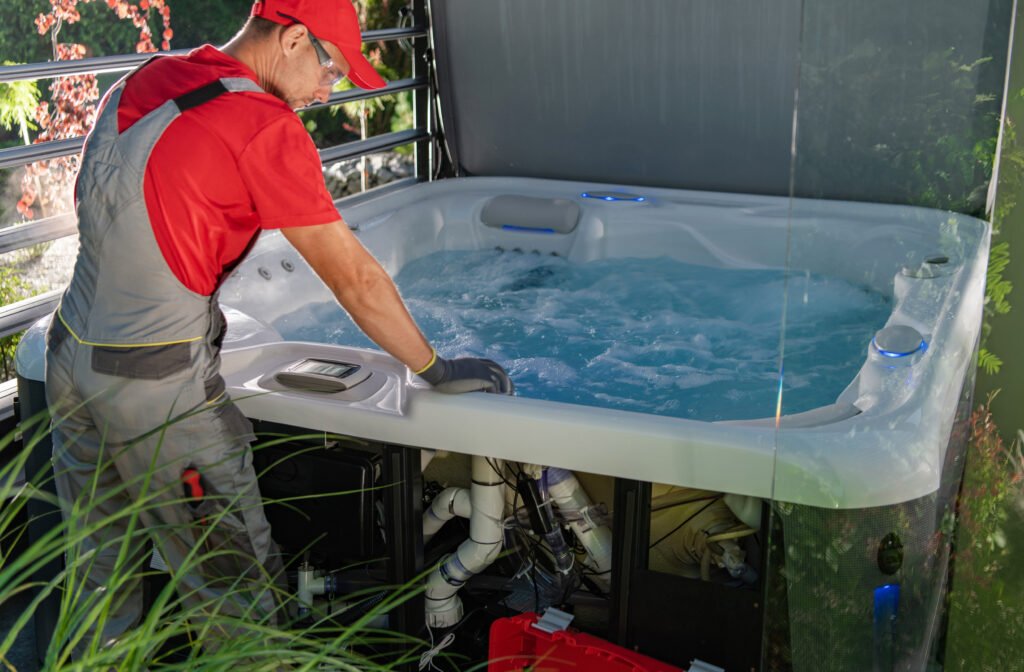
Contact your dealer or a qualified spa technician when the manual directs you to arrange service, or when the warning remains after the basic checks it permits.
It’s also time to call when:
A pump won’t start, hums without moving water, or repeatedly stops.
An overheating or sensor warning remains or returns.
The hot tub won’t heat despite the correct operating settings and recommended checks.
You find a leak near electrical equipment.
A breaker repeatedly trips or you notice a burning smell.
A returning code doesn’t automatically mean an expensive component has failed. It means the cause needs further investigation before you keep operating or resetting the equipment.
Have your model, serial number, a photo of the message, and a short description of what happened ready when you call. Mention any recent refill, power interruption, or service work.
Act Promptly in Freezing Weather
If a fault stops heating or circulation during freezing weather, contact your dealer promptly for instructions to protect the hot tub. Explain that it is outdoors and unable to operate normally.
Don’t assume freeze protection can work while the power is off or a pump has failed. Draining the shell alone may also leave water trapped in plumbing and equipment, so follow the manufacturer’s winterization procedure if that becomes necessary.
Maintenance Habits That Help Reduce Problems
Routine care can reduce some avoidable flow and heating problems, but it won’t prevent every fault. Sensors, pumps, and other components can still need service even in a well-maintained hot tub.
Build these checks into your routine:
Maintain the recommended water level. Check it between maintenance sessions, particularly after heavier use.
Clean filters according to their instructions. Match the schedule to the filter type, usage, and condition rather than assuming one interval suits every hot tub.
Keep water balanced. Use the ranges specified for your hot tub and installed water-care system.
Watch for changes. New noises, weaker circulation, unexplained water loss, or recurring messages deserve attention.
Keep the cover in good condition. Secure it when the hot tub isn’t in use, while following any different instructions given during an overheating alert.
Keep a simple maintenance record. Note filter cleaning, water changes, service visits, and recurring codes.
Catching a change early gives you more useful information to work with—and a better chance of addressing a small problem before it interrupts your next soak.
hot tub
🧠 Final Thoughts
An unfamiliar message on your hot tub doesn’t automatically mean a major repair. It does mean you should find out what the system is telling you before deciding what to do next.
Start with the exact code and the instructions for your model. Check the basics where permitted, record what you notice, and give your dealer that information if the problem continues. A cleared display is encouraging, but a warning that keeps returning deserves further investigation.
You don’t need to become a service technician to handle this well. Knowing which checks you can make—and when to stop—is a useful part of hot tub ownership.
Find the Instructions for Your Hot Tub
Need help locating the right reference? Visit our Hot Tub Manuals page to look for your manufacturer’s documentation. Match the manual to your model and year, then use its troubleshooting section alongside this guide.
About the Information in This Report
This guide explains common examples from manufacturer documentation. Error-code meanings and recommended actions can vary by model, year, control system, and software.
The owner’s manual for your installed equipment should guide your next step. Service manuals may include procedures intended only for qualified technicians; their inclusion below does not make those procedures suitable for owners.
Manufacturer References
💬 Still Trying to Work Out What’s Wrong?
If the trouble started after a refill or during your first few days of ownership, read our New Hot Tub Troubleshooting Guide. It walks through common startup problems and practical checks to help you decide what to try next—and when to call your dealer.
Looking for Another Hot Tub Answer?
Search The Hot Tub Report for more water care, troubleshooting, and buying advice.
Trusted Links & References
A Little More Hot Tub Know-How, Delivered
Get practical water care tips, maintenance advice, and helpful reports delivered right to your inbox. It’s free, and it’s all about making hot tub ownership a little easier.
HOT TUB CONCIERGE SERVICE
Need a Little More Help?
Sometimes a little one-on-one guidance makes all the difference.
Whether you’re shopping for a hot tub, troubleshooting a water problem, or just looking for some expert advice, I’m here to help.
Get personalized guidance during a 30-minute Hot Tub Concierge consultation.
Recommended Reads From The Hot Tub Report
Looking for more helpful advice? Explore these related reports for additional hot tub tips, practical guidance, and answers to common ownership questions.
💬 Join the Conversation!
Have a question, a helpful tip, or a hot tub experience to share? Drop a comment below! We’re here to help each other enjoy better hot tub ownership.
Please keep comments friendly, helpful, and on topic.